01 / Quick Start
Open Quick Start PDF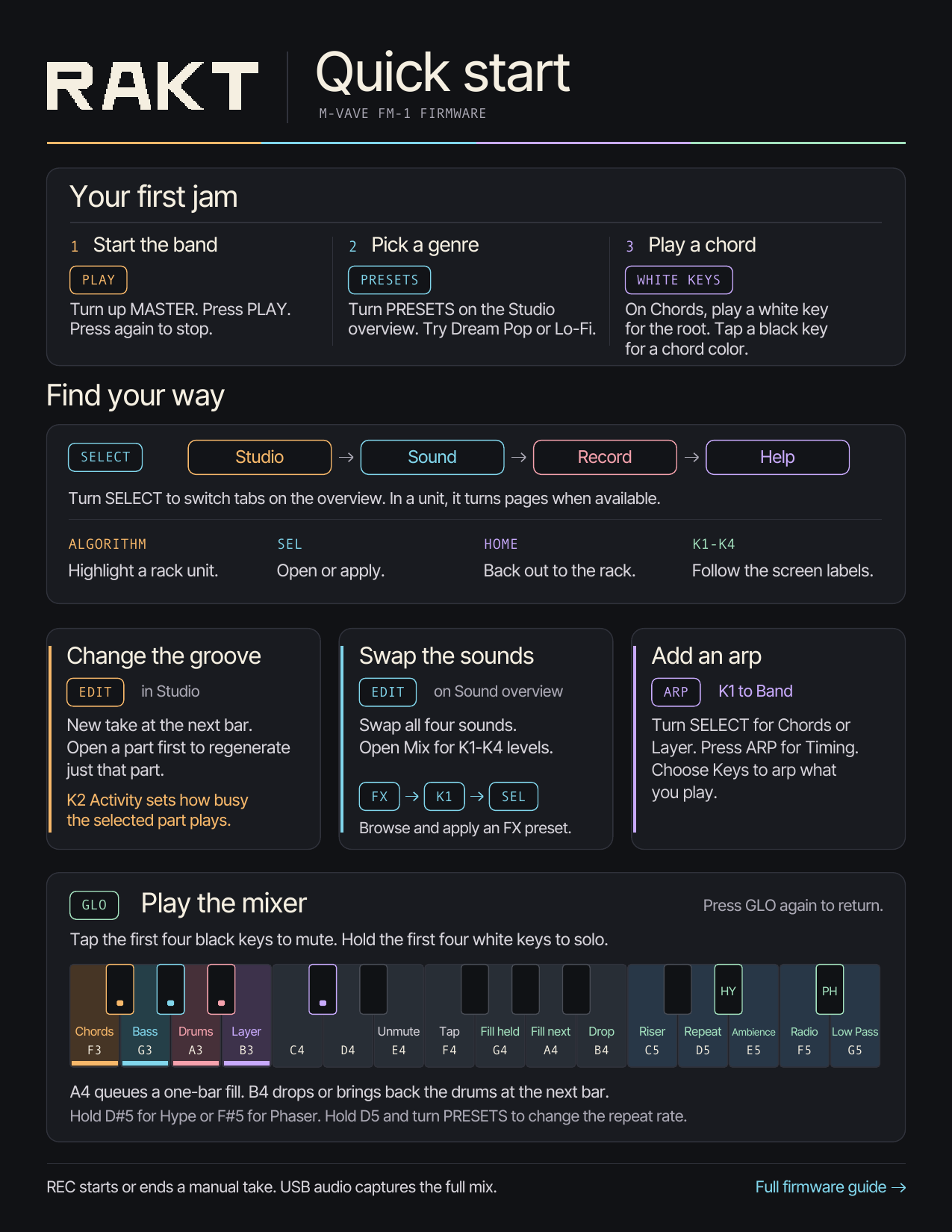 Read the Studio controls
RAKT / Browser rack
Pick a genre and bring in a band. Chords, bass, drums and melody share the groove and play off each other. Press Start to turn on audio, then use the on-screen panel or your computer keyboard to jam.
First jam guide ↓Loading…
RAKT / Field guide
Make a band, shape what it plays, then take it live. Keep these illustrated guides open as you play.
In Studio, pick a genre with PRESETS. Press EDIT for a new arrangement, then PLAY to hear the band.
Press SEL on Generator. Turn SELECT to Groove for swing and the musicians’ playing styles.
Press GLO while the band plays. Solo a part, cue a fill or drop, or hold an upper key to play an effect.
Open Song and turn SELECT for Harmony and Progression. In Sound, turn ALGORITHM past Mix to reach the band’s FX Space control.
Read the Studio controls
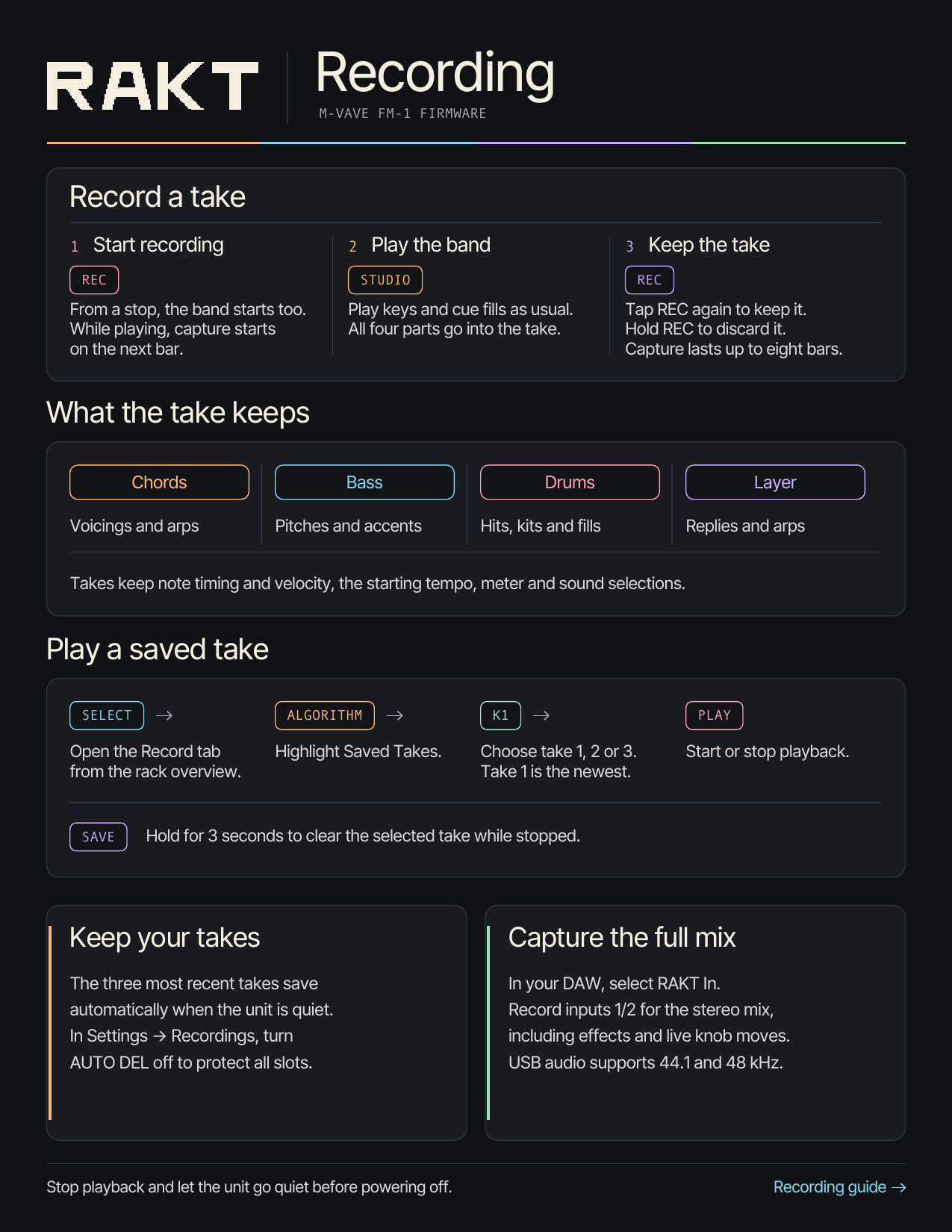
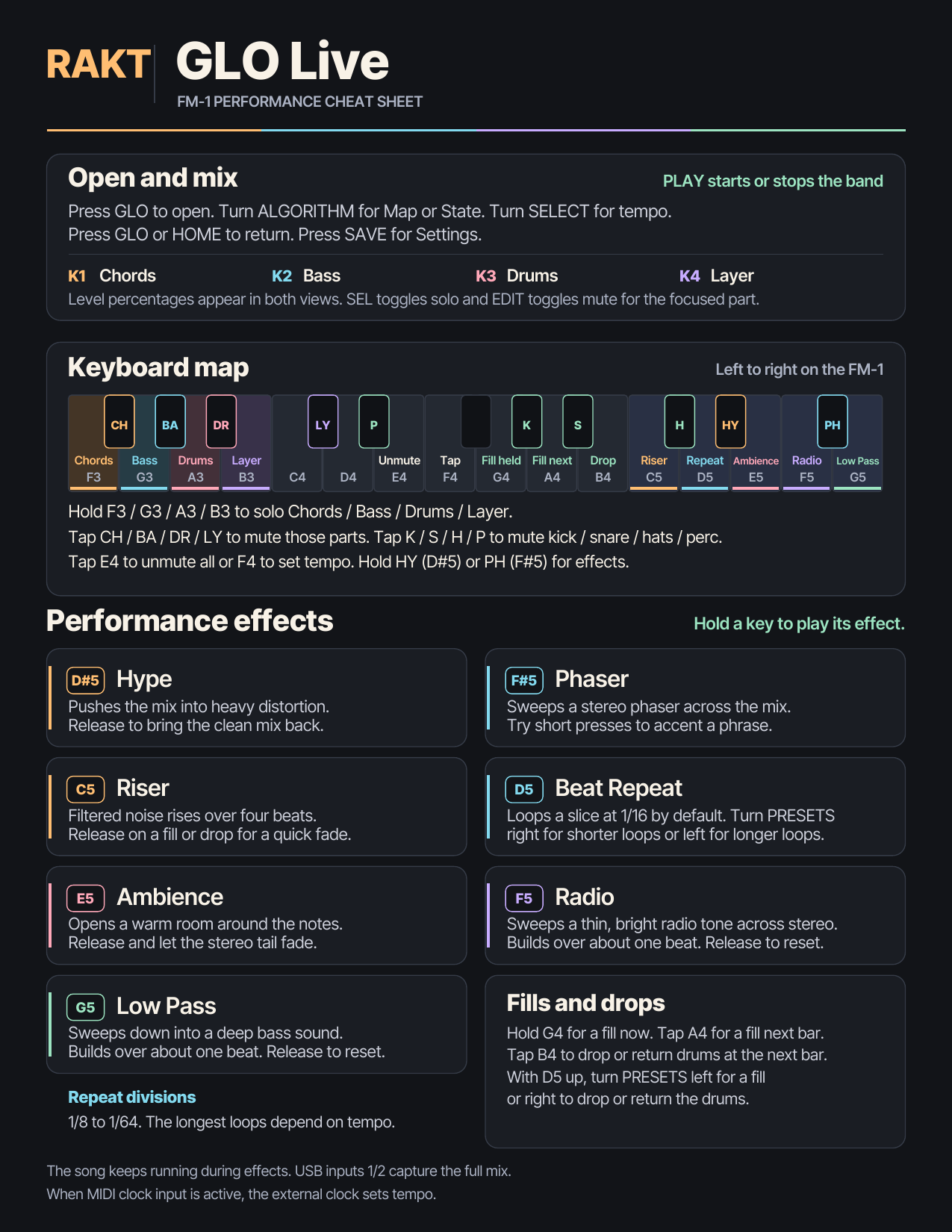 Read the GLO Live controls
Solid labels are computer keys; outlined labels are mouse actions. Click the panel first. Then Tab picks a knob and Esc returns to the page.
Settings and sounds you save stay in this browser.